It started as a simple challenge.
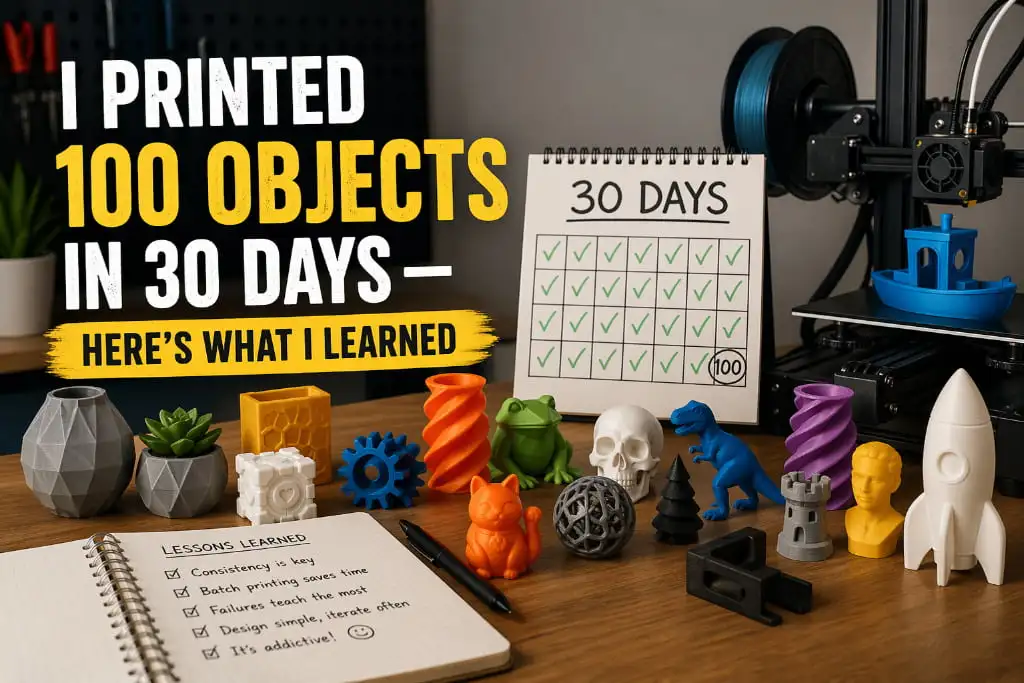
Could I print 100 different objects in 30 days? One month. 100 prints. No repeats.
I did not know what I was getting myself into. Some days were exciting. Some were frustrating. A few prints came out perfect on the first try. Others failed three or four times before I got them right. But by the end of day 30, I had 100 finished objects sitting on my desk — and a whole lot of lessons I wish I had known from the beginning.
Here is everything I learned.
Day 1–10: The Overconfident Phase
I went in thinking I already knew enough about 3D printing to cruise through this challenge. I had been printing for a few months. How hard could 100 objects be?
Pretty hard, it turns out.
The first week taught me one thing very quickly — preparation matters more than speed. I was so eager to hit print that I kept skipping the small checks. Is the bed level? Is the filament dry? Is the nozzle clean? Half of my early failures in the first ten days came from rushing past these basics.
By day 7, I had already failed 11 prints. That is more than one failure per day. It forced me to slow down and actually think before hitting the button.
Lesson 1: Check your setup before every single print. It takes 5 minutes and saves hours.
Day 11–20: Finding My Rhythm
Once I stopped rushing, things got smoother. I started keeping a simple notebook next to my printer — writing down the settings I used, the filament type, the temperature, and whether the print succeeded or failed.
This changed everything.
I started noticing patterns. Certain filaments performed better at slightly higher temperatures. Certain models needed slower speeds to come out clean. My printer had a slight left-side leveling issue that I had been ignoring for weeks.
By day 15, my failure rate dropped dramatically. I was printing 4 to 5 objects a day with very few issues.
I also started experimenting with different filaments during this stretch — PETG for functional parts, PLA for decorative items, and even a flexible TPU spool I had been too nervous to try. Each material taught me something new about how 3D printing actually works at a deeper level.
Lesson 2: Track everything. A simple notebook turns random results into useful data.
Day 21–30: The Streaks and the Surprises
The final stretch was my favorite — and my most stressful.
I hit a four-day streak where every single print came out nearly perfect. The settings were dialed in, the filaments were fresh and dry, and I had learned enough about my machine to predict how it would behave. It felt like the printer and I finally understood each other.
Then on day 27, I tried printing a large, complex architectural model — something with thin walls, steep overhangs, and fine details. It failed twice. On the third attempt, I slowed the speed down significantly, added more supports, and printed it overnight.
I woke up to the best print of the entire challenge.
That moment reminded me why 3D printing is so addictive. The problem-solving, the patience, the payoff — it is all worth it.
Lesson 3: Your hardest prints teach you the most. Do not skip the difficult ones.
The Biggest Surprises From 100 Prints
A few things genuinely caught me off guard over these 30 days:
Filament storage is not optional. I ruined an entire spool of PETG because I left it out for a week in a humid room. The prints came out bubbly, rough, and weak. Dry filament is not a luxury — it is a requirement for consistent results.
Small objects are not easier. I assumed tiny prints would be quick and simple. Wrong. Small objects often need slower speeds and finer layer heights to capture detail. They are less forgiving than larger prints.
Your slicer settings matter as much as your hardware. I could take the exact same model, slice it two different ways, and get dramatically different results. Learning your slicer is just as important as knowing your printer.
Most failures happen in the first layer. Out of all the failed prints in this challenge, the vast majority started going wrong right at the bottom. A perfect first layer is your best insurance policy.
What I Would Tell Anyone Starting Out
If you are new to 3D printing or thinking about taking on a big challenge like this, here is the short version of everything I learned:
- Slow down. Patience wins every time.
- Know your filaments and store them properly.
- Track your settings — even roughly.
- Fix small problems early before they become big ones.
- Enjoy the process. Every failed print is a lesson, not a loss.
100 objects in 30 days sounds like a lot. But really, it is just 100 small problems solved one at a time.
Want Great 3D Prints Without the Trial and Error?
At 3DReality, we have spent years mastering the art and science of 3D printing. We know the shortcuts, the pitfalls, and exactly what it takes to produce high-quality 3D products consistently — so you do not have to figure it all out yourself.
Whether you need a single prototype or a full production run, our expert team is ready to bring your idea to life with precision and professionalism.
Skip the failed prints. Let 3DReality do what we do best — reach out today and let’s build something amazing together.
FAQ’s
Q1. How many objects can you 3D print in a day?
With the right settings, you can easily print 3 to 5 objects per day depending on size.
Q2. Which filament is best for printing multiple objects?
PLA is the best choice — it is fast, easy, and works great for high-volume printing.
Q3. Why do 3D prints keep failing?
Most failures come from poor bed leveling, wrong temperature, or wet filament.
Q4. How long does a 3D print take?
Small objects take 30–60 minutes. Larger or detailed prints can take several hours.
Q5. Is 3D printing hard to learn?
Not at all — with the right settings and a little patience, anyone can master it quickly.